How to use alt text to make your travel photos visible in search and AI results
When you upload a beautiful travel photo, it’s easy to think your work ends there. But behind every image, there’s a tiny detail that can make a big difference in how your post performs online — alt text.
For travel bloggers, this small detail can be a quiet game-changer. Well-written alt text helps your photos appear in Google Images, adds depth to your blog’s topic, and ensures your stories are understood by every type of reader — human or machine. Whether you’re writing a destination guide, hotel review, or travel diary, every image you upload — from iconic landmarks to local cafés — can strengthen your blog’s visibility when described correctly.
If you want your travel photos to show up not only in Google Images but also in AI-generated results like Google’s AI Overviews, learning how to write alt text the right way is your first step.
In this guide, you’ll learn exactly how to write effective alt text for your travel photos, how to avoid common mistakes, and how to make your images work harder for both your readers and your rankings.
Let’s start by understanding what alt text really is — and why it matters for every travel blogger.
Table of Contents
What is alt text and why it matters for travel bloggers
Alt text (short for alternative text) is a short written description of an image that helps both people, search engines, and even AI systems understand what the photo shows. Alt text is how search engines “see” your images when they can’t read pixels — it describes your travel photos in words so they can appear in search results.
You’ll usually add it in your blog editor when uploading an image — it’s the text that appears in the image’s HTML as alt=”…”.
If you use WordPress, for example, you’ll find a small box labeled “Alt text (alternative text)” when you upload a photo. That’s where you write your description.
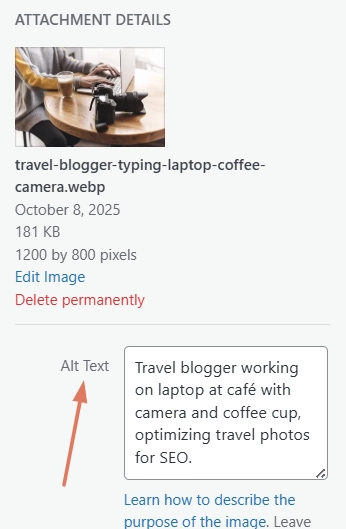
So why does it matter so much?
Alt text plays a quiet but powerful role in three areas: accessibility, SEO, and AI visibility.
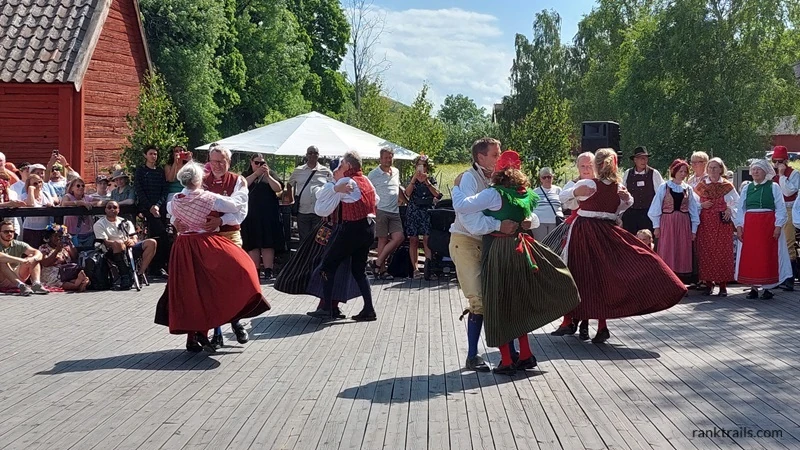
First, for accessibility. Alt text makes your blog more inclusive by describing visuals to readers who use screen readers or have images turned off. If your post shows a photo of “Couples dancing in traditional costumes at a Swedish Midsummer event,” someone who can’t see it will still get the full context through your description. Accessibility isn’t just ethical — it’s also good UX (User Experience) and often rewarded by search engines that value user-friendly design.
Then there’s SEO. Search engines can’t see a photo of Santorini’s blue domes or a plate of Kyoto sushi — but they can read the words you write about it. When your alt text clearly describes what’s in the image, it helps Google understand the topic of your post, boosts relevance for your keywords, and can even get your photos featured in Google Images or the visual “Image pack” that appears at the top of results.
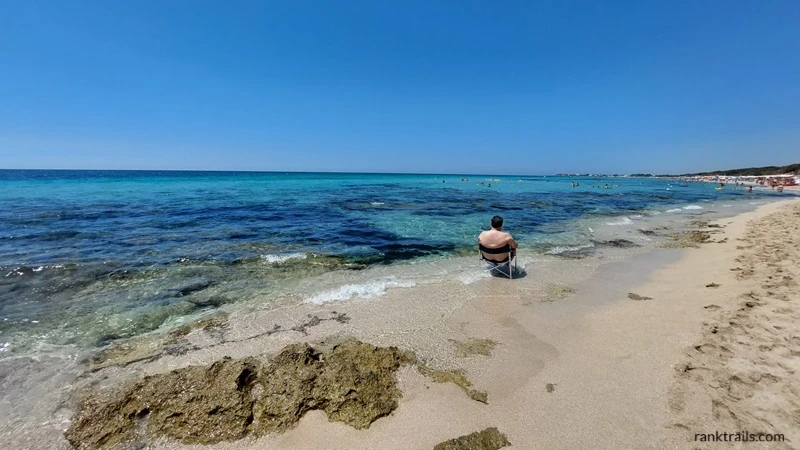
For example: “beach” vs. “Man sitting by the shore at Porto Cesareo beach in southern Italy.” Only one of these tells Google (and readers) exactly what the image shows — and where.
Travel photos are especially powerful for SEO because they capture real destinations, cultural moments, and landscapes that people actively search for.
As search evolves, AI tools like Google’s Overviews, Bing Copilot, and Perplexity also rely on these same descriptions to understand what’s in an image and link it to relevant travel topics — more on that later.
In short, good alt text helps everyone — readers, search engines, and AI systems — understand and surface your travel stories more accurately.
Common mistakes with alt text in travel blogging
Alt text may sound simple, but many travel bloggers make the same avoidable mistakes.
Skipping alt text completely (or using it where it’s not needed)
Many bloggers leave the alt text field blank for all images, or fill it in when they shouldn’t. The rule of thumb is simple:
- Add alt text to any image that adds value, explains context, or supports your story.
- Leave it empty (alt=””) only if the image is purely decorative — like a background pattern, a divider, or a design element that doesn’t contribute meaning.
Search engines and accessibility tools can’t interpret meaningful images without alt text, which means you lose both accessibility value and potential visibility in search results.
Using generic descriptions
Descriptions like “beautiful view,” “mountains,” or “photo of beach” don’t say much to humans or search engines. Instead, be specific:
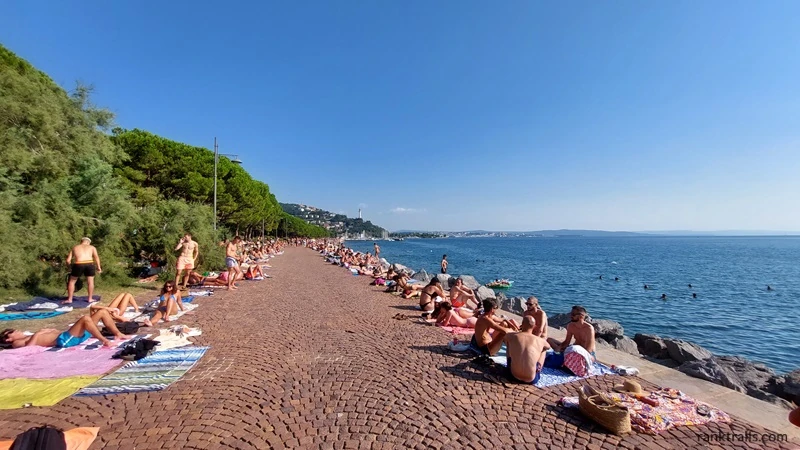
No: “Promenade”
Yes: “People sunbathing and swimming along the Barcola promenade in Trieste, Italy.”
Keyword stuffing
It might be tempting to squeeze in multiple keywords (“best beach hotel Sardinia travel blog Italy”), but this looks spammy and confuses both readers and algorithms. Keep it natural — alt text is for clarity, not keyword density.
Copying captions or file names
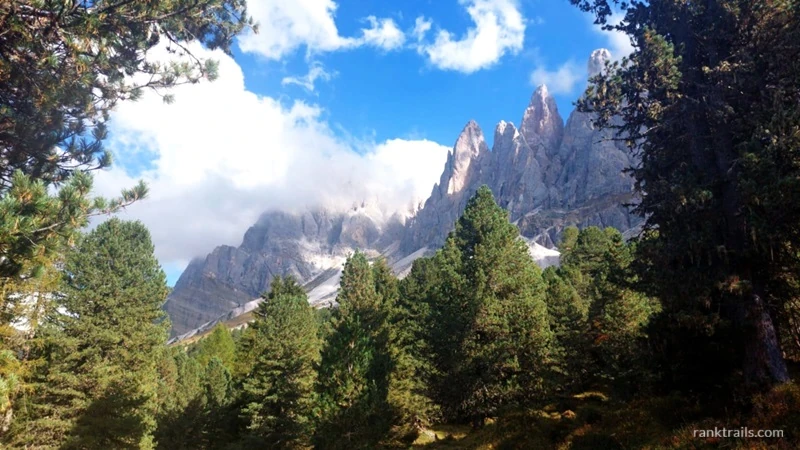
Alt text should describe the image, not repeat what’s already visible on the page. If your caption says “Hiking in the Dolomites,” your alt text might add context: “View of the Dolomite peaks near Forcella di Mesdì surrounded by pine trees and clouds.”
Writing for SEO bots instead of people
Alt text is meant to describe, not sell. Phrases like “must-visit beach paradise” add fluff but no meaning. Focus on what the image actually shows — your readers (and AI systems) will understand it better.
How to write effective alt text for travel photos
Alt text is simple in theory — describe what’s in the photo — but writing it well takes practice. The best alt text is clear, concise, and adds value by giving context your reader wouldn’t otherwise get. Here’s a step-by-step approach that works especially well for travel blogs.
1. Describe what you actually see
Start with the basics: what’s visually happening in the photo? Imagine explaining the image to someone who can’t see it. Focus on the main subject, not every little detail.
No: “Port”
Yes: “Colorful fishing boats and houses in a harbor.”
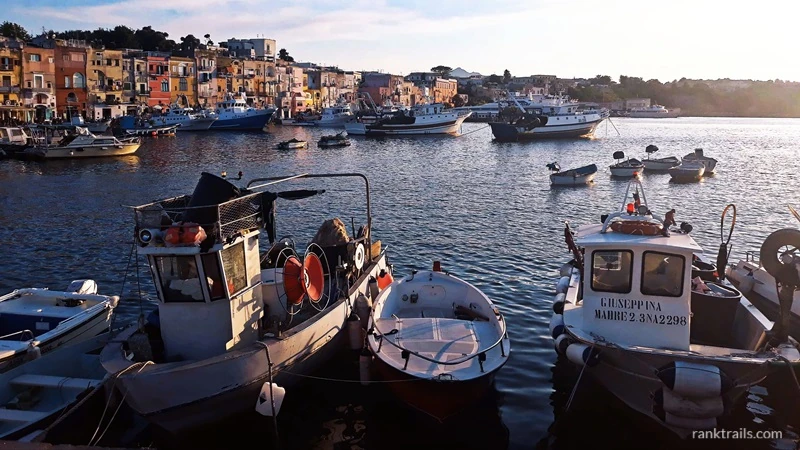
This tells both readers and search engines what the photo shows and why it’s relevant to your post.
2. Add meaningful context
Context turns a generic description into one that’s genuinely useful. Ask yourself: why did I include this image in the post? What part of the story does it support?
No: “Verona arena”
Yes: “Verona Arena with a large Christmas star decoration in Piazza Bra during the 2016 holiday season.”
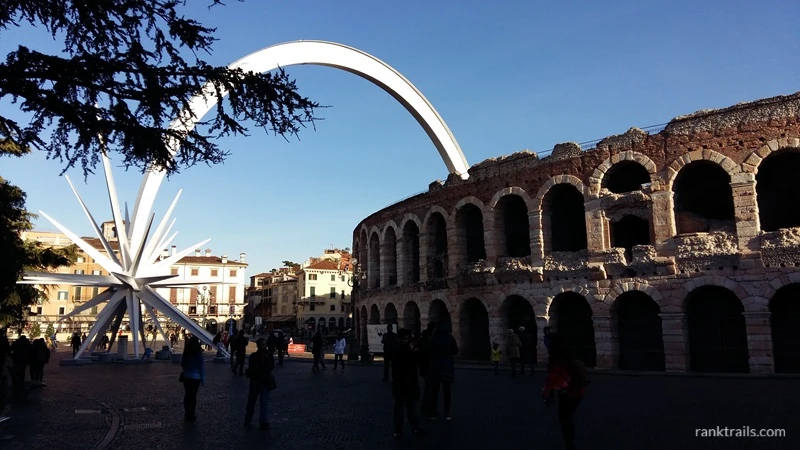
You don’t need to state what readers already know from the surrounding text — just what helps them (and search engines) better understand the image.
3. Include location details naturally
Since travel content is often tied to destinations, adding place names helps your content appear in searches for those places. Keep it natural and human-sounding.
No: “Korean temple”
Yes: “Traditional Korean temple building in Seoul surrounded by pine trees.”
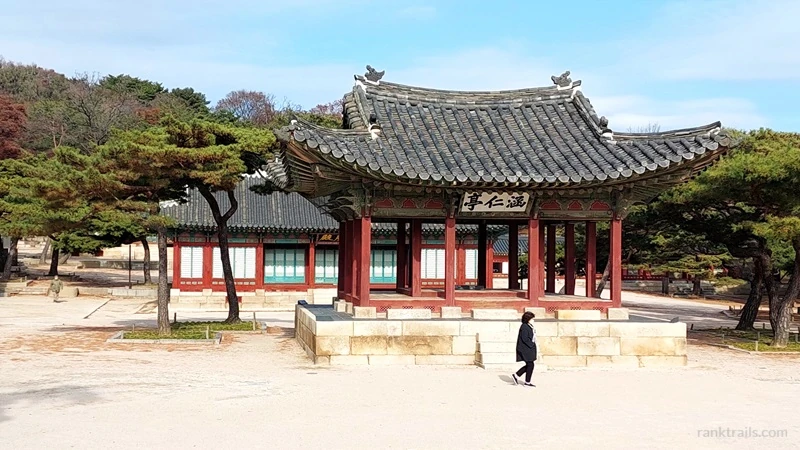
Mentioning the destination once is enough — avoid cramming multiple place names into one description.
4. Keep it concise
Aim for under 125 characters if possible. Screen readers often cut off longer text, and overly long descriptions can sound clunky. Think of one short sentence that gives a full picture.
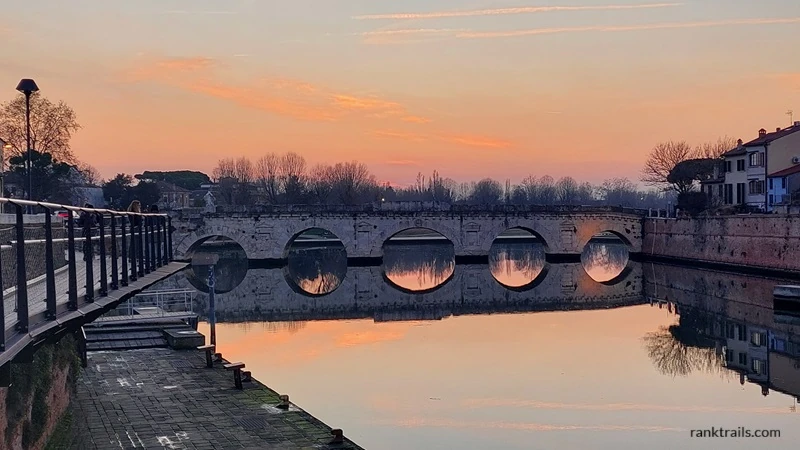
For example: “Sunset view of the Tiberio Bridge reflecting on the calm water in Rimini, Italy.”
If you need to describe something complex — like a map or infographic — summarize it briefly and include additional explanation in the post body.
5. Use keywords thoughtfully
Alt text can include keywords, but they should fit naturally within your description. Don’t force them in.
No: “Best Venice gondola ride canal photography tips Italy travel guide San Giorgio Maggiore lagoon boats.”
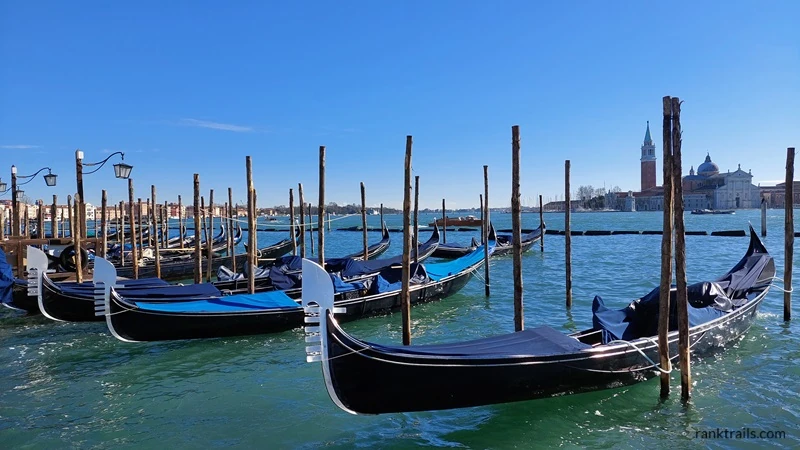
Yes: “Gondolas docked on the Venetian lagoon, a popular starting point for a gondola ride in Venice.”
Google recommends using information-rich, context-specific text instead of lists of keywords. Think of it as keyword alignment, not keyword stuffing.
Tip for consistency: Try to keep your style consistent — if you describe one destination by including season or time of day, do the same for similar images across other posts. It helps your blog sound cohesive and makes your alt text recognizable in tone and structure.
6. Write for humans — and make it clear for AI
Alt text is primarily for accessibility, but clarity helps everyone — readers, search engines, and even AI systems. Use simple, factual language that describes what’s actually in the image. Skip the fluff (“beautiful,” “amazing”) and focus on what, where, and when.
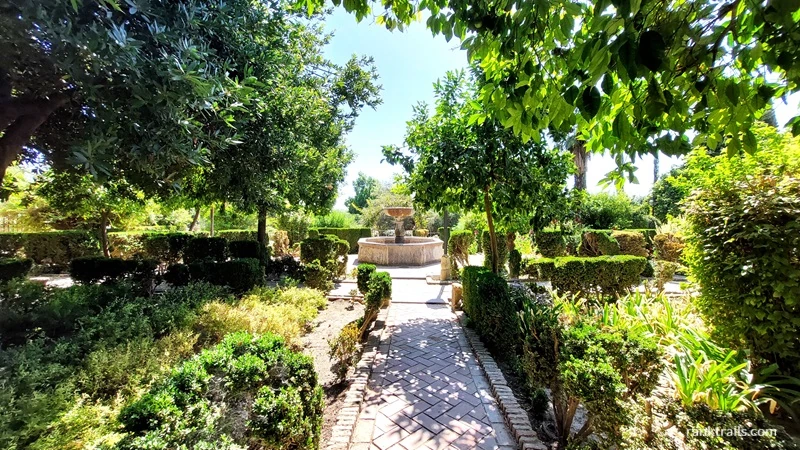
For example: “Garden with a stone fountain at the Alcázar of Córdoba, Spain, taken at midday in September 2024.”
When your description reads naturally and accurately, both people and algorithms can understand your travel photos the same way you do.
Visual checklist: how to write alt text for your travel photos
If you’d rather see it all at a glance, this infographic sums up what to keep in mind before adding your image alt text.
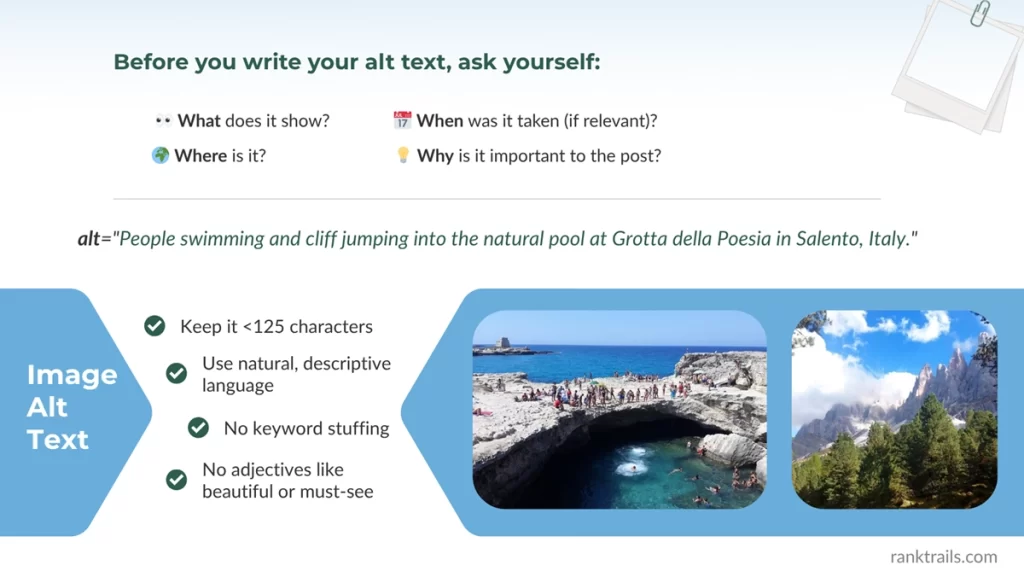
Want to keep this infographic handy?
Download your RankTrails quick guide (PNG) — it’s free, no sign-up needed.
Writing good alt text takes a few extra seconds, but it builds lasting visibility. The more descriptive and consistent you are, the more search engines — and future AI systems — will understand your travel stories and show them to the right audience.
How alt text enriches your blog content and supports higher rankings
Once you’ve written strong alt text, your images start doing double duty — they help confirm your post’s topic to search engines and improve your chances of ranking for destination keywords. When every image has descriptive alt text that aligns with your topic, it reinforces the focus of your post.
Let’s say you’re writing a guide titled “The Ultimate 3-Day Travel Guide to Seville.” One section might highlight the Plaza de España — its history, architecture, and best time to visit. Including a photo with the alt text “Daytime view of Plaza de España in Seville, Spain, with the central fountain and canal under a clear blue sky.” strengthens the page’s topical relevance. It tells both readers and search engines: this photo, this section, and this article all belong to the same subject.
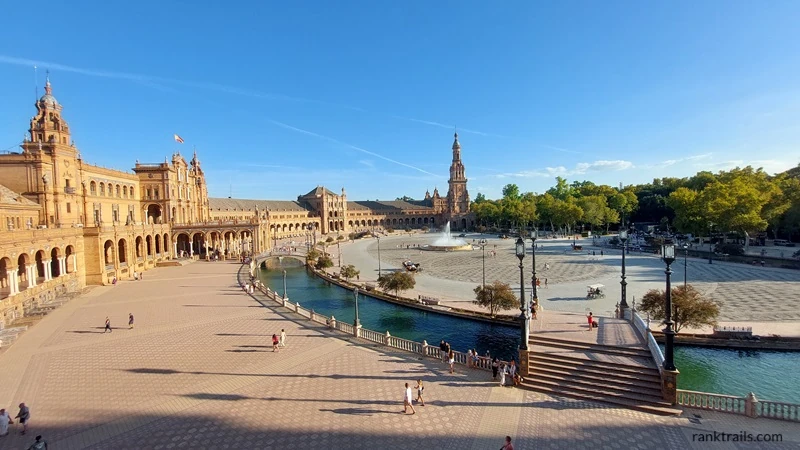
That extra context helps:
- Search engines understand that your content covers Seville comprehensively, improving its chances to rank for travel-related keywords.
- Image search connects your photos with the same queries your text targets.
- Readers experience a richer, more cohesive story that feels visually and contextually complete.
Google calls this “strong topical authority” — when all page elements consistently reinforce the same subject. Alt text helps you achieve that by linking words and visuals into one coherent, trustworthy narrative.
In short, alt text doesn’t just describe an image; it strengthens your blog’s relevance, clarity, and credibility — all key signals for ranking higher in travel search results.
Why AI still needs alt text — even when it can “see” images
You might wonder: if AI tools can already see what’s in a photo, do we still need alt text? Absolutely — and here’s why.
1. Seeing isn’t the same as understanding
Computer-vision models can detect what’s visible — shapes, colors, and familiar objects — but they don’t automatically know what those visuals mean.
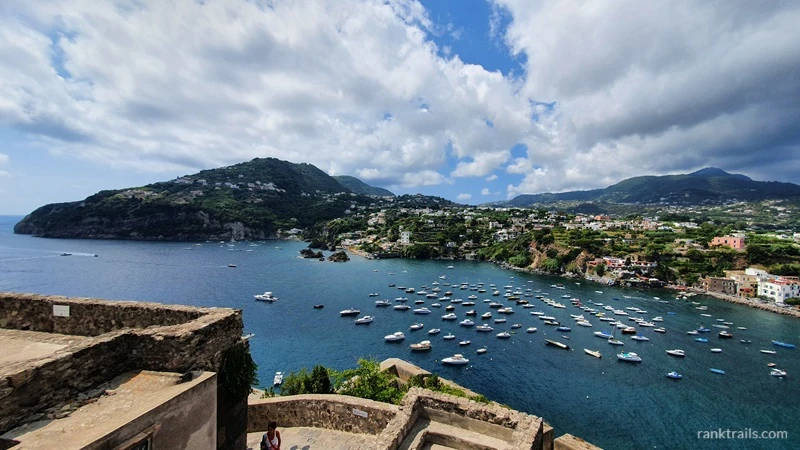
AI might recognize “a coastal view with boats on the water,” yet it can’t tell that it’s Ischia seen from the Aragonese Castle unless you explain it. That’s the difference between seeing and understanding meaning. Alt text gives AI and search systems the semantic link — connecting what’s shown (pixels) to what it represents (the story, the place, the purpose).
Without that human-provided layer:
- AI might identify the wrong location or context (many Mediterranean islands or harbors look visually similar).
- Search results might show irrelevant matches (e.g., “Italian coast” instead of “Ischia view from Aragonese Castle”).
2. Search engines process scale, not scenes
When you share an image in the chat of ChatGPT, the AI can analyze it directly. Search engines, however, crawl billions of images. They can’t inspect each photo pixel by pixel in real time, so they rely on metadata — alt text, captions, and file names — to categorize images and match them to relevant queries quickly and efficiently.
3. Accessibility came first — and it still matters most
Alt text was originally designed so screen readers could describe images to people with visual impairments. That same clarity now helps search engines and AI understand your visuals more accurately.
In short, AI might see the pixels, but alt text tells the story. It’s what transforms a travel photo from data into meaning, and that’s exactly what both people and intelligent systems respond to.
As generative search grows, clear and factual image descriptions also help your visuals align with GEO (Generative Engine Optimization) principles — ensuring your content is properly understood and surfaced in AI-powered travel results.
How to add alt text to your travel blog (platform examples)
Adding alt text doesn’t require any coding — it’s quick, simple, and built right into your blogging platform. Since most travel bloggers use WordPress, we’ll start there.
WordPress (Block Editor)
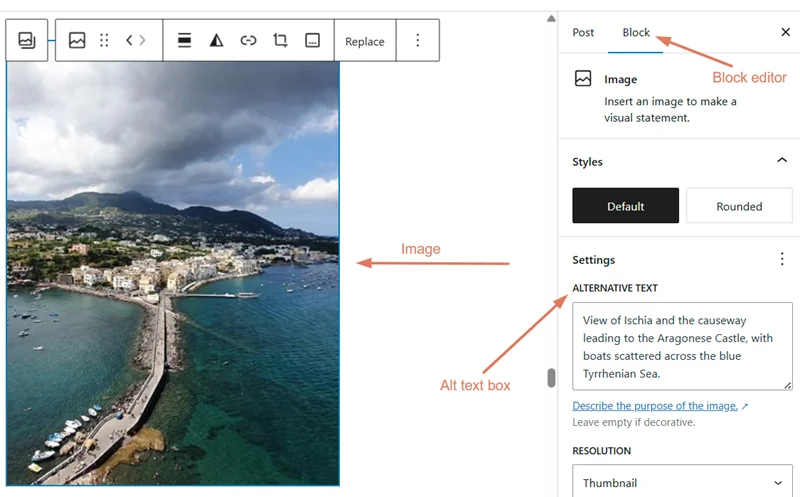
In the Block Editor, select your image and look at the right-hand sidebar. Under Block settings → Image → Alt text (alternative text), you’ll find the box where you can describe your photo — for example, “View of Ischia and the causeway leading to the Aragonese Castle, with boats scattered across the blue Tyrrhenian Sea.”
That text is saved in your image metadata and used by both screen readers and search engines to understand what your image represents.
Other popular blogging platforms — Squarespace, Wix, and Blogger
Each platform has its own way to add alt text, but the principle is the same: you’ll usually find an “Alt text” or “Image Description” box within your image settings.
- Squarespace: Click your image, open Edit → Content tab → Image Alt Text.
- Wix: Select your image and choose Settings → What’s in the image? Tell Google field.
- Blogger: Click your photo → Properties → Alt text.
Remember: captions are for readers; alt text is for accessibility and SEO. Add both where relevant — captions enhance storytelling, while alt text helps your blog get discovered.
How to audit your existing alt text
If you’ve been blogging for a while, chances are many of your older photos don’t have alt text — or use vague descriptions like “IMG_2345.jpg” or “beach.” Auditing your existing images is one of the easiest ways to boost your blog’s SEO and accessibility without creating new content.
Here’s how to do it:
- Start with your Media Library or SEO plugin. In WordPress, open your Media Library and click through each image to check the Alt Text field. If you use a plugin like Yoast, AIOSEO, or Accessibility Checker, run a quick scan to find missing alt text.
- Prioritize your top posts: begin with your most visited articles or travel guides. Images in these posts already have ranking potential, so updating their alt text brings the quickest results.
- Rewrite with clarity and purpose: replace empty or generic fields with short, factual sentences that describe what and where, e.g., “Sunset view of the Amalfi Coast from Ravello, Italy.”
Here’s a tip: keep a simple spreadsheet to track which posts you’ve updated. A quick quarterly check keeps your visuals optimized and consistent.
Editable alt text writing template for travel bloggers
Writing alt text for every photo can feel repetitive, especially when you’re publishing detailed travel guides. This editable table makes it easy to stay consistent, descriptive, and SEO-friendly across your entire blog.
You can copy it into Google Docs, Notion, or your CMS notes, then fill it out as you upload your photos.
| Field | What to include | Example |
|---|---|---|
| Image file name | Rename your image before uploading. Use a short, descriptive name (no “IMG_2345”). | ischia-aragonese-castle-view-italy.jpg |
| Blog post title | Helps you match the image to its post and maintain topical consistency. | “A Weekend Guide to Ischia, Italy” |
| Section or paragraph of the post | So the alt text fits the context of the story. | “Things to do in Ischia” |
| What the image shows (main subject) | Who or what is visible in the photo. | Coastal view from the Aragonese Castle |
| Where it was taken (location) | Include the place, region, or landmark name when relevant. | Ischia, Italy |
| When (optional) | Add only if the timing adds context — e.g., season or event. | Sunset in late summer |
| Alt text (final description) | Combine details into one short, factual sentence under ~125 characters. | “Coastal view in Ischia, Italy, as seen from the Aragonese Castle at sunset.” |
Tip: Keep this table open while editing your images — it’ll save you time and ensure all your alt text follows a consistent, descriptive style across posts.
Once you’ve filled in a few examples manually, you can use them to train your AI prompts for even faster consistency and tone alignment across your blog.
Want to see the view that inspired this example? I shared photos and thoughts from my week in Ischia on my personal blog, Happiness is My Direction.
How to use AI to write alt text for your travel photos
If you struggle to describe your photos naturally or you just find the task boring and tedious, AI can help — you just need to give it the right context. Think of AI as a friendly writing assistant: it won’t know your story as well as you do, but it can give you a solid starting point.
Here’s a simple prompt you can use:
Prompt template:
“You are an SEO copywriter helping a travel blogger write descriptive, accessible alt text. Write one alt text description under 125 characters for a photo showing [briefly describe the image, location, and what’s happening]. Avoid adjectives like beautiful or amazing — be factual and specific.”
And, if the AI tool you’re using allows image uploads, attach your photo when you submit the prompt. That way, the AI can analyze the image directly and produce a more accurate, detailed suggestion.
Example:
Prompt: “You are an SEO copywriter helping a travel blogger write descriptive, accessible alt text. Write one alt text description under 125 characters for a photo showing people swimming and cliff jumping at Grotta della Poesia in Salento, Italy. Avoid adjectives like beautiful or amazing — be factual and specific.”
AI output: “People swimming and cliff jumping into the natural pool of Grotta della Poesia in Salento, Italy.”
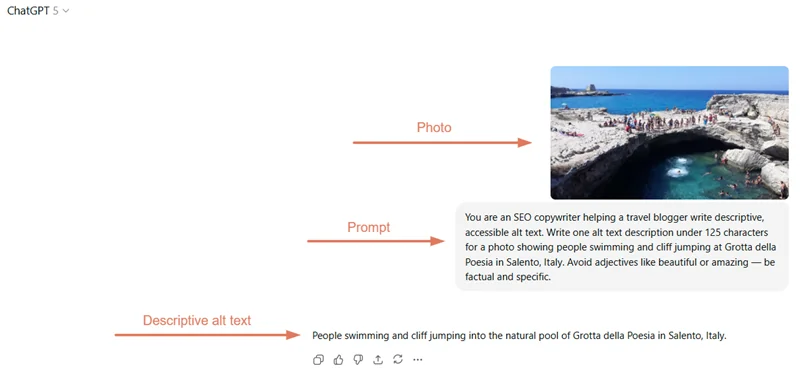
Always double-check the AI’s output — make sure it matches your actual photo and context before publishing. Even small inaccuracies can confuse search engines or reduce accessibility accuracy.
AI won’t replace your personal touch, but it can make writing alt text faster and easier, especially when you’re editing dozens of travel photos at once.
You’ll find more prompt ideas in our upcoming guide on AI prompts for travel SEO tasks.
Going further: image schema markup (for when you’re ready to level up)
Once you’ve mastered alt text, you can take your image SEO one step further with image schema markup.
Schema is a type of structured data — code added behind the scenes to help search engines understand exactly what’s in your image and how it connects to your content.
While alt text describes an image in words, schema tells Google those words formally in machine language. It can include details like image captions, licensing, and the related page topic — helping your visuals appear more accurately in search and improving your overall topical authority.
For now, think of schema as the advanced layer of image SEO — not essential to start with, but worth learning once you’re comfortable writing descriptive alt text.
Coming soon: our beginner’s guide to image schema markup for travel blogs — stay tuned!
Conclusion
Optimizing your travel photos with alt text might seem like a small task, but it’s one of those quiet SEO habits that pays off long-term. Every clear, descriptive line you add helps your blog become more accessible, more relevant, and more understandable — for both people and search engines.
You’ve learned how to write strong alt text, avoid common mistakes, and even use AI tools to make the process faster. By describing your images accurately, you’re reinforcing your content’s topic, improving its visibility, and helping search engines connect your stories with real traveler intent.
As search evolves through AI and generative technology, these small details will matter even more. Alt text isn’t just about accessibility — it’s about making your travel stories discoverable and meaningful in both traditional and AI-driven search.
So before you hit publish on your next post, take an extra minute to describe your photos. Those few words don’t just boost your SEO — they help travelers, algorithms, and AI systems alike understand the experiences you share. Because every image has a story, and alt text makes sure it gets heard.